
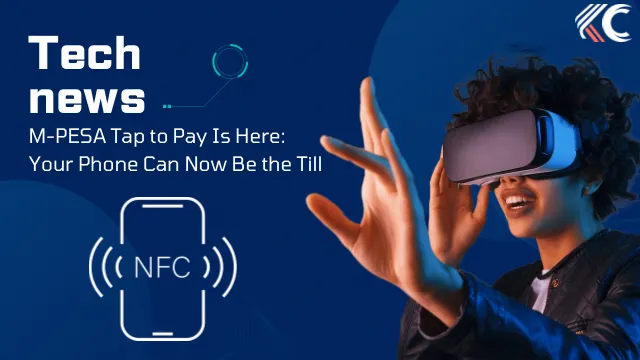
Kenya’s M-PESA payment experience is taking another step into the future.
Safaricom has introduced M-PESA Tap to Pay, a new feature that allows customers to make payments by simply tapping an NFC-enabled phone against a merchant’s phone. The feature is integrated into the M-PESA ecosystem and is designed to make everyday payments faster and easier. (Safaricom)
No Till Number. No QR Code. Just Tap.
The concept is simple.
Instead of asking for a till number, entering the amount manually or scanning a QR code, the merchant enters the amount on their device and the customer taps their NFC-enabled phone.
The customer then confirms the payment details and completes the transaction using their M-PESA PIN.
Merchant enters the amount → Customer taps → Confirms payment → Enters PIN → Done.
Safaricom’s official FAQ confirms that NFC needs to be enabled on compatible devices, while the feature is supported through the M-PESA Tap to Pay service. (Safaricom)
Your Smartphone Becomes Part of the Payment System
Tap to Pay is built around NFC — Near Field Communication, the same short-range technology that powers many contactless payment experiences around the world.
For customers, this means the phone they already carry can become part of the checkout process.
For merchants, the development could reduce dependence on additional payment hardware, provided they have the required compatible setup and access to the Tap to Pay service.
What Do You Need?
To use the new experience, customers need a compatible NFC-enabled phone and the relevant M-PESA/Safaricom services.
Safaricom’s My OneApp is also becoming an increasingly important part of the company’s next-generation M-PESA experience, with Safaricom highlighting NFC tap-to-pay as one of the capabilities being introduced through the platform. (newsroom.safaricom.co.ke)
On Android devices, users can generally check their phone’s Settings for NFC or Contactless Payments. Safaricom’s official Tap to Pay FAQ also notes that iPhone 6 and newer models support NFC. (Safaricom)
What Happens During a Payment?
The experience is designed around a few simple steps:
1. The merchant enters the amount.
The amount to be paid is entered on the merchant’s device.
2. The customer taps their phone.
The customer’s NFC-enabled device is brought close to the merchant’s device.
3. The customer checks the details.
The payment information is displayed for confirmation.
4. The customer enters their M-PESA PIN.
The PIN remains part of the payment authentication process.
5. The transaction is completed.
The payment is processed through M-PESA and the transaction confirmation follows.
This keeps the familiar security and confirmation elements of M-PESA while changing how the payment is initiated.
Why This Matters for Kenya
M-PESA has always been more than a money-transfer service. It has become a major part of how Kenyans pay businesses, bills, services and each other.
Safaricom has continued evolving the platform, with its broader M-PESA journey including new payment and financial services over the years. (Safaricom)
Tap to Pay represents another step in that evolution.
The important part isn’t simply that you can tap your phone.
It’s that M-PESA is moving towards a payment experience where the interaction between a customer and a business can become almost invisible.
No asking:
“Till number ni gani?”
No manually typing the amount.
Just tap, confirm and pay.
The Bigger Picture
Contactless payments have already changed how people interact with traditional card terminals. Safaricom’s approach brings a similar idea into the M-PESA ecosystem.
And because M-PESA is already deeply integrated into everyday commerce in Kenya, the potential impact could be significant if customers and merchants adopt the feature widely.
The next time you walk into a business and see a phone being used as the payment device, don’t be surprised.
The till might just be a smartphone.
The future of M-PESA is getting closer to:
Tap. Confirm. Pay.
Source: Safaricom official M-PESA Tap to Pay information and Safaricom Newsroom. (Safaricom)